
Feb 2026
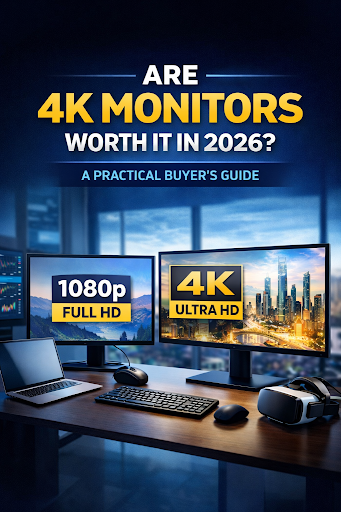
Are 4K Monitors Worth It in 2026? A Practical Buyer’s Guide
In 2026, screen quality is no longer a luxury — it’s a productivity investment.
From remote work and content creation to serious home office setups, more professionals are upgrading to 4K monitors. But with higher pricing compared to standard Full HD displays, buyers still ask:
Is upgrading to a 4K monitor actually worth it?
Let’s break it down clearly so you can decide confidently before purchasing.
What Is a 4K Monitor?
A 4K monitor features a resolution of 3840 × 2160 pixels — delivering four times the detail of Full HD (1080p).
In real-world use, that means:
-
Sharper and clearer text
-
Cleaner spreadsheets with better visibility
-
More detailed video calls
-
Larger workspace for multitasking
-
Better clarity for creative work
It’s not just about visuals. It’s about working smarter and more efficiently.
Who Benefits Most from 4K Monitors?
1️⃣ Professionals & Remote Workers
If you:
-
Open multiple browser tabs daily
-
Work with spreadsheets or dashboards
-
Edit documents for hours
-
Attend frequent Zoom or Teams meetings
A 4K display reduces constant window switching.
More screen space = smoother workflow.
For remote professionals, that efficiency adds up quickly.
2️⃣ Creators & Designers
For:
-
Video editing
-
Graphic design
-
Photo editing
-
Social media content production
Pixel clarity and color accuracy matter.
A 4K monitor provides better detail precision and improved editing control — especially when paired with an IPS panel.
3️⃣ Business Owners Upgrading Office Equipment
Upgrading office monitors to 4K can:
-
Improve employee comfort
-
Enhance presentation quality
-
Increase multitasking efficiency
-
Future-proof your workspace
Investing in better displays supports long-term productivity.
When a 4K Monitor May Not Be Necessary
Let’s be practical.
A Full HD monitor may still be sufficient if you:
-
Mainly browse and check emails
-
Have limited desk space
-
Use older hardware that struggles with 4K output
-
Don’t multitask heavily
Not everyone needs 4K. The key is buying based on usage — not trends.
What to Look for When Buying a 4K Monitor in 2026
Resolution alone isn’t enough. Consider:
✔ Screen Size – 27” to 32” is ideal for 4K clarity
✔ Panel Type – IPS panels offer better color accuracy
✔ Refresh Rate – 60Hz minimum for productivity
✔ Ergonomics – Adjustable stand for comfort
✔ Connectivity – HDMI 2.0+ or DisplayPort compatibility
The right 4K monitor should match both your workspace and your hardware setup.
4K Monitor vs Dual 1080p Monitors
Buyers often ask:
Should I get one 4K monitor or two Full HD monitors?
Here’s the practical comparison:
Dual 1080p monitors
-
Better task separation
-
Familiar setup
-
Usually more affordable
Single 4K monitor
-
Cleaner desk setup
-
Higher visual clarity
-
Better scaling for detailed work
If desk space is limited, one high-quality 4K monitor is often the smarter choice.
Final Verdict: Is a 4K Monitor Worth It in 2026?
For professionals, creators, entrepreneurs, and serious remote workers — yes.
4K monitors are no longer just premium upgrades. They are tools for better clarity, smoother multitasking, and long-term efficiency.
If you’re planning to upgrade your display this year, make sure you choose a model that supports how you actually work.
Explore available 4K monitor options at TechLabMarket.com and compare screen sizes, panel types, and performance features to find the right fit for your workspace.
Invest once. Choose correctly.